PillRem
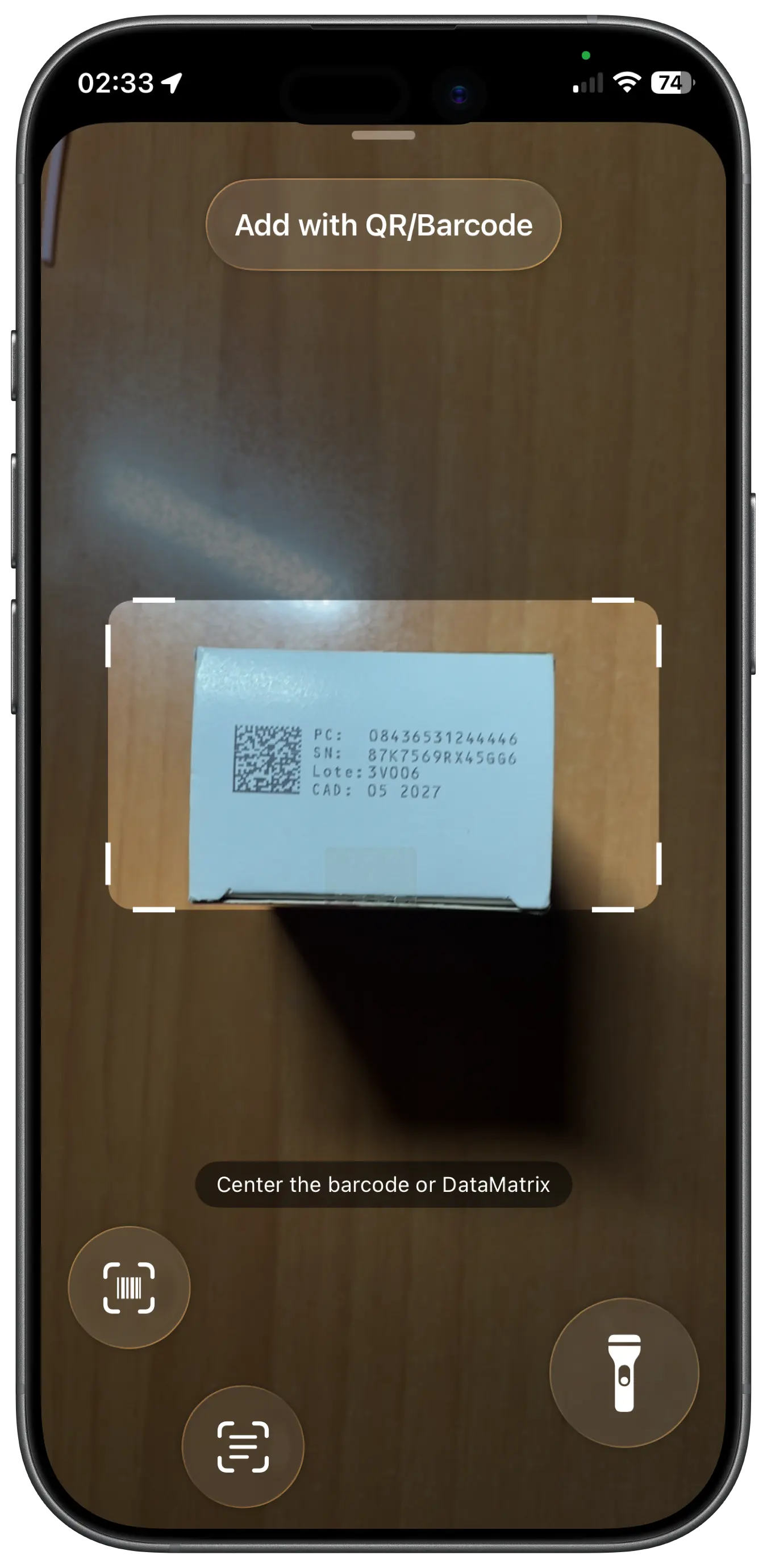
The expiry date filled in from the box, so nothing expires unnoticed.
PillRem or
Apple Health?
Here is what each one offers, taken from its App Store page and help pages, with links. Pick the one that fits you.
| Feature | PillRem | Apple Health |
|---|---|---|
| Free version | Yes, with limits and no ads | Yes, built into the iPhone |
| Advertising data | None | None |
| Tracking identifiers | None | Not listed |
| Account | None needed | Your Apple Account |
| Sync through your own iCloud | Yes | Yes |
| Add a medication by scanning the box | Yes, barcode and DataMatrix | With the camera, in the US only |
| Expiry date filled in from the box | Yes, from the DataMatrix code | Not listed |
| Medication database | Official data from 40+ countries, offline | Yes |
| Critical alerts | Yes | Yes |
| Live Activity and Dynamic Island | Yes | Not listed |
| Home Screen or Lock Screen widgets | Yes | Not listed |
| PIN and Face ID lock | Yes | Not listed |
| Profiles for the family | Up to 8, each with its own history | Only your own medications |
| Nearby pharmacies | Yes | Not listed |
| iPad app | Yes | Yes |
Based on each app’s App Store page and help pages in October 2026: Apple Support, add and log medications, MacRumors, critical medication reminders. “Not listed” means the feature does not appear there. Apps change their features and prices often, so check the App Store before you decide.
The difference
Scan the box.
Expiry date included.
PillRem reads the DataMatrix code on the box and fills in the name, active ingredient, form and expiry date, offline, from a database built with official data from more than 40 countries. Your medicine cabinet always knows what is about to expire.
Why people switch
to PillRem.
No tracking identifiers and no account.
Your data stays on your device and in your own iCloud.
The next dose on the Lock Screen and in the Dynamic Island.
The nearest pharmacy, one tap away.
Up to 8 profiles, each with its own schedule and history.
More comparisons
Try PillRem for free.
No account, no email, no ads. Your medications stay on your device.